
SWN WI FI Network
Connect to the school's SWN Wi-Fi network using your IAMS account. Follow the steps here to get started.
Last updated 16 June 2026
Students may connect to the school's SWN Wi-Fi network to access internet for learning purpose.
1. Go to 'Wi-Fi' under 'Settings' on your mobile phone.
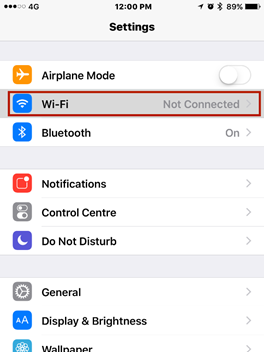
2. Select SWN@SSOE from the available Wi-Fi network list.
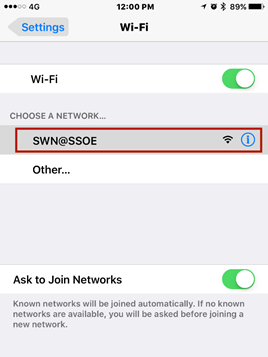
3. Once connected, a login page will pop up.
Log-in using your MIMS account. (Remember to check on the box to accept the terms.)
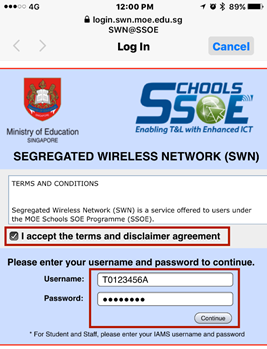
Note: You cannot log-in to more than one device using the same account at the same time. When you log-in to a second device, the first device will automatically be logout.
To reset their MIMS password, please fill in the Password Reset Form (opens in new tab). Your MIMS password will expire every 90 days.